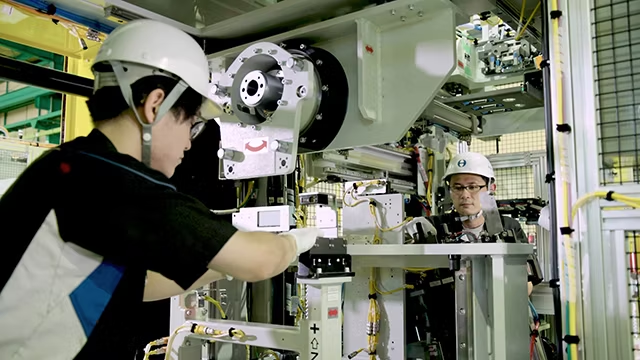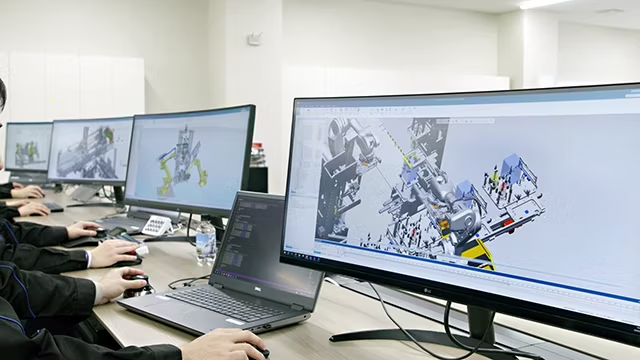

Xtreme Manufacturing Boosts Quality and Efficiency with Creaform’s HandySCAN 3D MAX Series

Product: HandySCAN 3D MAX Series
Industry: Telescopic Handlers

Xtreme Manufacturing offers the most extensive and complete line of high-capacity, heavy-duty telehandlers in North America. Known for robust performance and reliability in the most demanding environments, Xtreme places a strong emphasis on quality at every stage of production.

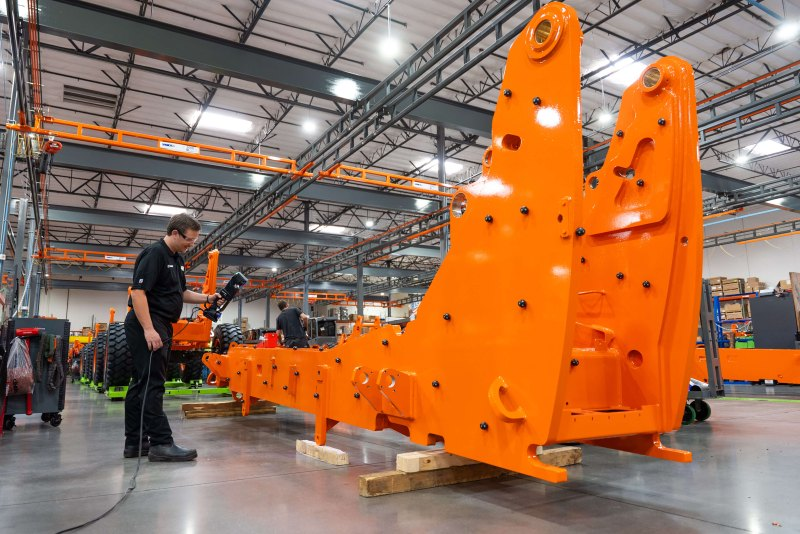
To uphold its commitment to quality when inspecting large welded structures, Xtreme Manufacturing needed a solution that could deliver fast, accurate, and versatile measurements. Among all requirements, speed proved critical to accelerate telehandler assembly. The chosen solution met these demands, combining efficiency, accuracy, and ease of use without compromise.

This article explores how Xtreme Manufacturing improved manufacturing quality and inspection efficiency by integrating the Creaform HandySCAN 3D | MAX Series into its workflow.
Inspection Challenges Impacting Assembly Efficiency

Before adopting Creaform’s 3D measurement technology, accurately inspecting large welded structures was a significant challenge for Xtreme Manufacturing. Manual inspection methods were not only slow but also allowed certain defects to go unnoticed, reaching the assembly line and causing delays and costly rework.

With multiple large welded structures requiring frequent inspections, the company needed a faster and more reliable measurement solution. Speed was a particular concern, as slow inspection processes jeopardized production flow and created bottlenecks.

The Need for Fast, Detailed Inspections on Large Welded Structures

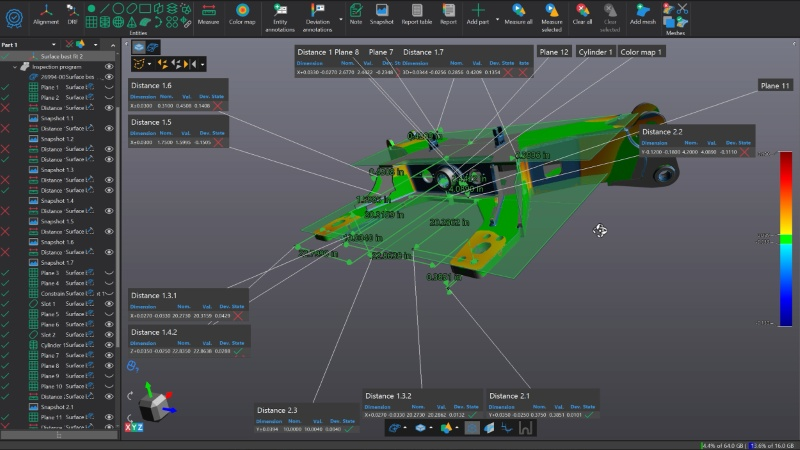
After evaluating several options, Xtreme Manufacturing chose the Creaform HandySCAN 3D | MAX Series for its ability to efficiently inspect multiple features on large welded structures and generate detailed inspection reports. One of the most valued functions was the ability to create an inspection file with all dimensions directly from the CAD model, ensuring a clear correlation between design intent and measurement results.

Integrating the portable HandySCAN 3D scanner into existing inspection workflows was straightforward, and the adoption process exceeded expectations. After just a few scans, the team quickly gained confidence in using both the Creaform portable scanner and the inspection module within the Creaform Metrology Suite, making implementation intuitive and seamless.
Solving Problems Before They Reach the Assembly Line

The adoption of Creaform’s 3D scanning technology quickly paid off. In one case, Xtreme Manufacturing detected an increase in welded stabilizer base structures that could not be installed on machines during assembly. To prevent further disruptions, they proactively removed 30 units from inventory and scanned each one to identify defects before they reached production.

This proactive approach allowed the team to isolate the issue in time and avoid repeated delays. Moving forward, they now have the ability to anticipate quality problems by quickly scanning inventory parts when needed, ensuring that “the pain is felt only once.” As Adam Truster, Manufacturing Engineer, explains:

“Implementing 3D scanning technology has significantly reduced production disruptions by quickly identifying quality defects before they escalate. This has optimized our process, ensuring smoother operations and maintaining high product standards.”
Adam Truster, Manufacturing Engineer at Xtreme Manufacturing

Xtreme and Creaform: A Partnership That Delivers Results

Xtreme Manufacturing’s experience with Creaform has been overwhelmingly positive, from technical support to the performance of the HandySCAN 3D solution. Encouraged by the results, they plan to expand the use of this technology to inspect additional components such as chassis, telescopic booms, and welded structures before they reach the assembly line.

With Creaform, Xtreme continues to raise the bar for innovation and product quality. After all, innovation should simplify processes, not complicate them. By integrating Creaform’s 3D scanner into their workflow, they have improved quality control without disrupting operations—proving that the right technology drives better engineering outcomes.

Siemens Process Preparation takes SPEA test scheduling to the next level

Product: Valor
Industry:
Manufacturing

The SPEA Leonardo programming software is highly capable, but when scaling from a single board to multiple boards, there’s always room for improvement. That’s where Siemens Process Preparation comes in—designed to optimize test programming efficiency and streamline the entire workflow.

Engent Inc.: Excellence in Microelectronics

Located in Norcross, Georgia, Engent Inc. is a contract manufacturer founded in 2003, recognized for being at the forefront of microelectronics assembly. With deep expertise in advanced surface mount technology (SMTA), they excel in low- to medium-volume, high-mix turnkey production.

Their engineering capabilities support every stage of the product lifecycle—from product and process development, proof of concept, and new technology introduction (NTI), to design for manufacturing (DFM), new product introduction (NPI), and volume production. As an ITAR-registered company with AS9100:2016 certification, Engent is committed to delivering exceptional quality and reliability.

A Key Upgrade: Efficient Programming for SPEA Machines

When evaluating the capabilities of Process Preparation for their SPEA flying probe machine, Engent identified a significant opportunity: extending assembly support and refining programming workflows to substantially improve overall efficiency.

Solving the Gerber File Challenge

One of the main challenges was that SPEA Leonardo does not support Gerber files as a basis for test program creation. Since some of Engent’s customers provided only these files, a robust solution was essential.

With Process Preparation, not only is intelligent CAD data supported—raw Gerber files (274X or 274D) can also be transformed into a digital product model. This enables the extraction of critical information such as pin connectivity, netlists, and component intelligence, bringing the starting point much closer to intelligent CAD formats like ODB++.

Key Ways Process Preparation Enhances SPEA Test Programming

When integrated with SPEA Leonardo, Process Preparation dramatically speeds up test programming through:

  • Seamless CAD Import – Ensures no loss of critical design data, including solder mask information. Missing solder mask layers? No worries—Gerber files can be used to reconstruct accurate board details.
  • Effortless BOM Integration – Rapidly and accurately links the Bill of Materials to the test program, ensuring the right components are identified and tested.
  • Intelligent Component Recognition – Automatically detects resistors, capacitors, diodes, and other components, even when CAD files lack clear designations.
  • Accurate Package Outlines – Essential for flying probe testing, as precise dimensions determine optimal probe placement. Process Preparation taps into the Valor Parts Library, with access to over 35 billion part numbers for detailed package data.
  • Automated Probe Placement – Using a complete digital twin of the PCB, Process Preparation calculates the best probe locations, reducing errors and debug time.

Less Downtime, More Productivity

Once the optimized test program is ready, Process Preparation sends all data to SPEA Leonardo in a single consolidated file, eliminating inefficiencies caused by rushed programming or manual adjustments.

Skipping steps may seem like a shortcut, but it often leads to costly delays during machine debugging. The goal is clear: minimize downtime. When the flying probe machine is running tests, it’s generating revenue. When it’s idle, it’s costing money.

5-Axis Machining Seminar: A Success in Querétaro

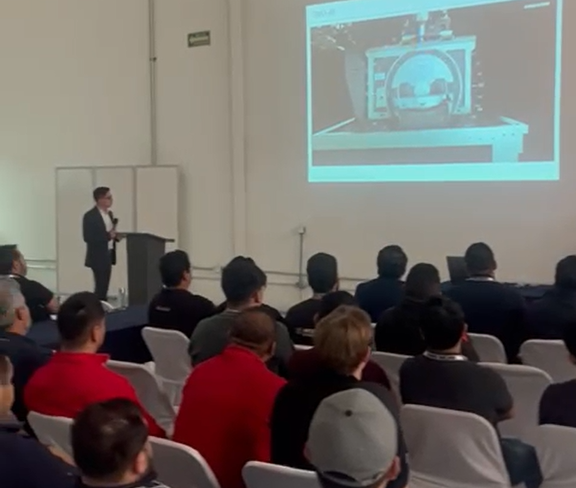
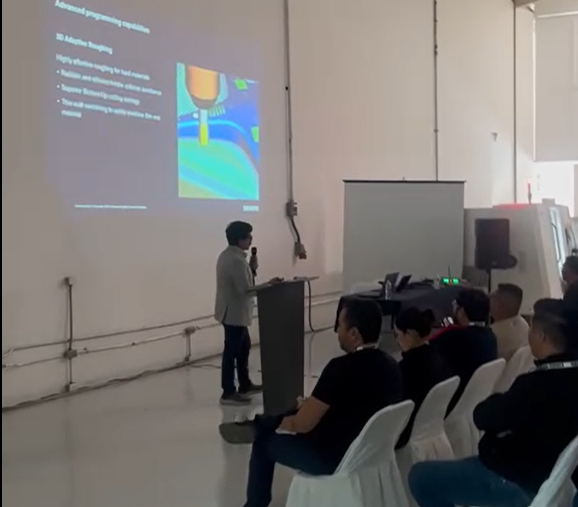
On February 26th, the DMG Mori Showroom in Querétaro was the setting for a not-to-be-missed event for the machining industry: the 5-Axis Machining Seminar. During this day, attendees witnessed a real live cut on a complex part with NX CAM and the DMU 40, demonstrating the power and precision of these technologies in advanced manufacturing.

A High-Tech Event

The seminar agenda was full of technical and practical content, beginning with a reception at DMG MORI’s Warehouse 11, where attendees enjoyed a networking environment with canapés and drinks in the showroom.

Afterwards, industry experts shared their knowledge through a series of lectures focused on the latest innovations in machinery, cutting tools and advanced manufacturing software.

One of the most anticipated moments was the showroom demonstration, where a complex part was cut using the DMU 40 and NX CAM software. This hands-on demonstration allowed participants to see first-hand the advantages of this technology in terms of precision, efficiency and flexibility in machining complex parts.

Thanks and Upcoming Events

We would like to thank our partners DMG Mori and Siemens for their collaboration and support in the realization of this event, as well as all the attendees for their participation and enthusiasm.

This seminar reaffirms our commitment to continue driving knowledge and innovation in the industry and we invite you to stay tuned for our next events, where we will continue to explore the latest in technology and advanced manufacturing!

See you at the next edition!

Achieve up to three times higher record monthly production using the same resources

Product: Opcenter APS
Industry:
 Industrial machinery

Ensuring Consistent and Reliable Quality

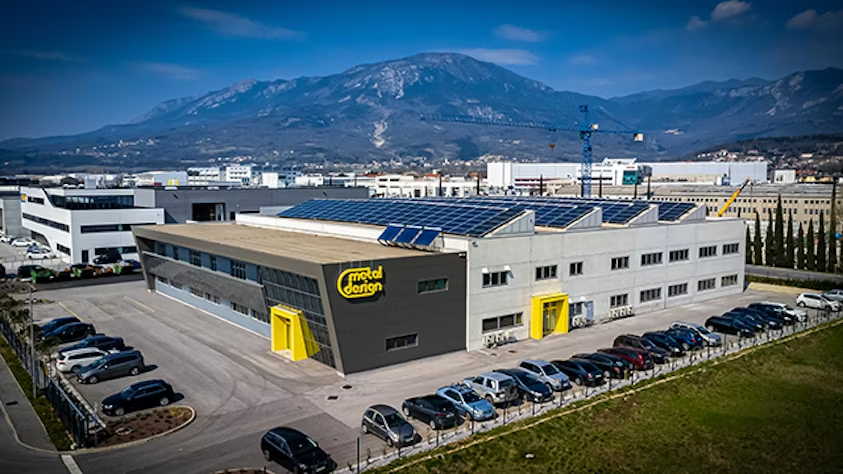
Metal Design specializes in the development, optimization, and production of technologically demanding metal products and machine components. As an international partner for various Western European companies, it has built a reputation for delivering consistent and reliable quality.

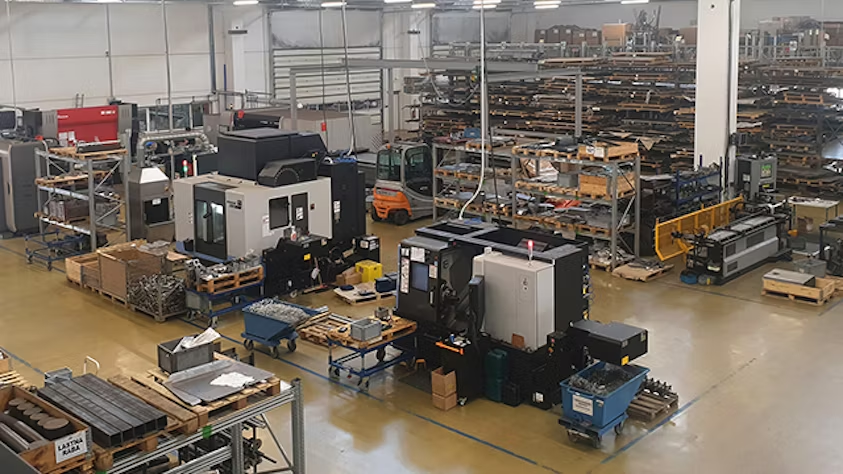
With over 30 years of experience manufacturing metal parts—including welded assemblies, sheet metal products, and machined components—Metal Design aims to become a recognized European leader in producing complex metal components for advanced industries such as green technologies, agricultural machinery, automated internal logistics vehicles, and medical applications.

As the company expanded its production capabilities and invested in new technologies, operational planning became increasingly complex. Manufacturing processes require a precisely timed sequence based on the bill of materials (BOM), ensuring optimal machine utilization, efficient workforce deployment, and strict adherence to customer delivery deadlines. As Metal Design focused more on highly technical products with multi-layered BOMs and intricate production methods, managing these challenges manually became unsustainable.

To address these issues, Metal Design partnered with INEA d.o.o. (Inea), a Siemens Digital Industries Software partner, and adopted Opcenter™ advanced planning and scheduling (APS) software—part of the Siemens Xcelerator portfolio of software, hardware, and services.

Overcoming Inefficiencies Through Digital Transformation

At the start of its digital transformation journey, Metal Design relied on a basic enterprise resource planning (ERP) system from a local IT vendor and a free version of production planning software. The company later developed in-house applications to assist with planning and scheduling, as well as tasks like item sorting, BOM verification, and tracking production times.

However, this hybrid approach was inefficient. The production manager manually adjusted monthly and weekly schedules using a combination of in-house tools and personal expertise. As a result, scheduling relied heavily on intuition and complex, manually managed tools. The IT administrator struggled to optimize production planning, and the company was not leveraging software effectively.

Recognizing these inefficiencies, Metal Design made a decisive move: replacing its ERP system and upgrading its production scheduling software simultaneously.

Selecting Opcenter to Optimize Scheduling

The production manager tested three APS software solutions in demo versions using real production data. Opcenter Scheduling stood out due to its user-friendly interface, scalability, and ability to solve scheduling challenges. Additionally, the production manager had prior experience with Opcenter from his mechanical engineering studies, underscoring the value of Siemens’ collaboration with academia.

A key moment in the decision-making process came when Metal Design received an urgent customer order that initially seemed impossible to fulfill on time. Using Opcenter Scheduling, the company simulated production scenarios, accounted for existing orders and shop floor constraints, and determined that completing the order was feasible. This capability convinced the production manager that Opcenter was the right solution.

Implementing Opcenter Scheduling

The implementation process began with a thorough analysis of all production processes, requirements, and parameters. This review allowed Metal Design to refine its data and enhance accuracy.

Once integrated, Opcenter Scheduling provided insights across multiple departments—including technology, procurement, sales, and production—helping teams resolve daily challenges more efficiently.

“Opcenter Scheduling was the best fit because it’s the most optimal for our needs and company size, providing all the necessary functionalities at an affordable price,” says Jerneja Curk, Assistant General Manager at Metal Design. “With Opcenter and the support of Inea, we have elevated our production scheduling to a higher level.”

By fine-tuning scheduling parameters, adjusting capacity settings, and fully understanding the software’s capabilities, Metal Design significantly improved its production planning standards. A crucial step was integrating the new ERP system with Opcenter Scheduling via web services, enhancing the accuracy of scheduling operations and feeding scheduled data into the company’s business intelligence (BI) system.

“In our old system, it took up to two hours to prepare and import data. With Opcenter’s ERP integration, we now just press a button and wait a few minutes,” says Karin Kodele, Production Coordinator at Metal Design.

By optimizing machine changeover times and resource allocation, Metal Design achieved record monthly production levels—tripling its usual output without increasing resources.

Enhancing Efficiency and Customer Confidence

Metal Design frequently needs to simulate potential customer orders before creating work orders in its ERP system. This process previously took up to four hours per inquiry, but with Opcenter Scheduling’s order inquiry functionality, it now takes just 15 minutes.

“Using Opcenter Scheduling, I can efficiently schedule the entire shop floor and all shifts while quickly responding to customer inquiries,” says Kodele. “Working with Inea, their support is exceptional, and their quick, efficient responses always impress me.”

“With over 700 different parts in production and long-term B2B partnerships, delivering on time is crucial to our clients’ supply chains,” says Polona Curk, Director of Business Development at Metal Design. “Our B2B customers are always impressed when they learn we use Siemens’ Opcenter Scheduling. It reassures them that we will deliver as agreed, which strengthens our business relationships.”

Looking Ahead: Future Optimizations

Following the successful implementation of Opcenter Scheduling, Metal Design’s future plans include further optimizations, such as integrating employee skill matrices into scheduling. Additionally, the company aims to transition from general schedule overviews to personalized displays for each production cell on the shop floor.

By leveraging Opcenter Scheduling, Metal Design has embraced digital transformation, streamlined production planning, and positioned itself for continued growth in the competitive metal manufacturing industry.

CFD for clean air. 3 ways to fight contamination in public buildings, transportation and production facilities

Producto: Simcenter
Industria:
CFD

CFD for clean air: How simulation is transforming spaces and processes.

Until 2020, Computational Fluid Dynamics (CFD) for ensuring clean air was not a topic that captured the attention of the general public. However, with the COVID-19 pandemic, the need for clean and healthy air became a matter of global concern. This led to CFD reaching the mainstream media. Although public attention has been reduced following the pandemic, the need for purified air in public facilities, offices and transportation remains crucial. Moreover, it is not only humans who require high standards of air quality; many industries need controlled environments to avoid contamination that can affect the production of goods.

CFD simulation is an essential tool in this ongoing challenge. Simulation software from Siemens’ Simcenter portfolio is used in a variety of applications to ensure that air is purified, improving both our breathing and manufacturing processes.


Three ways CFD helps ensure clean air

While CFD simulations do not replace public health guidelines, they can be useful in three key areas:

  1. Understanding pollutant transport and mitigation 2.
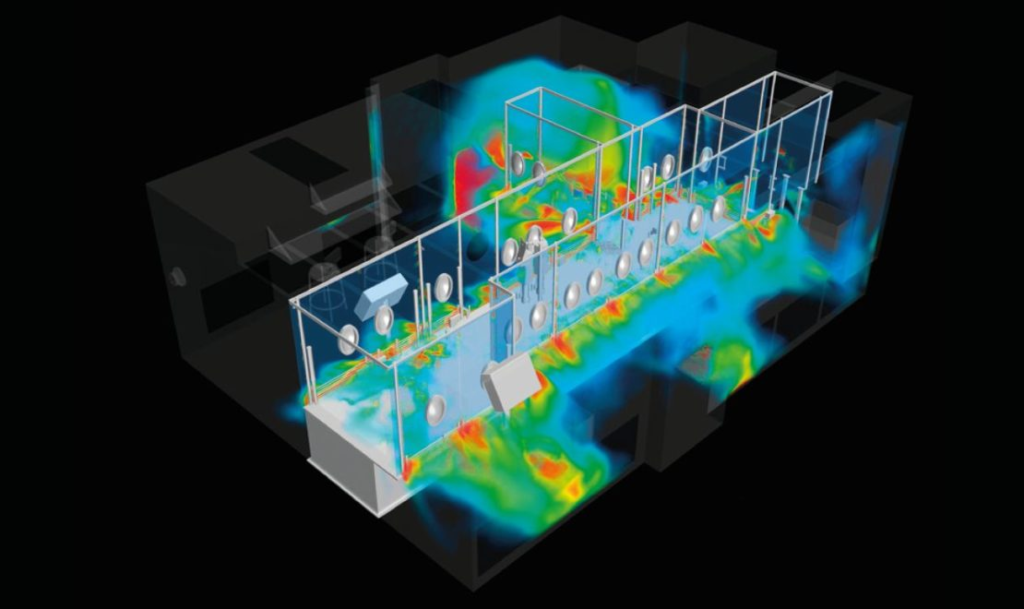
    CFD allows modeling the movement of aerosols and particles in space and time. This is especially useful in controlled indoor spaces such as rooms, automobiles, trains, airplanes, clean rooms, and food factories.
  2. Improve and redesign indoor spaces for safety.
    With CFD, multiple configurations for ventilation systems can be analyzed, ensuring efficient removal of particulate contaminants in indoor spaces. It is also possible to optimize the location of air purifiers and air barriers.
  3. Designing equipment to remove hazardous substances and purify air.
    CFD enables the design of more efficient air purification devices used in public buildings, transportation and industrial environments.

CFD case studies for clean air

Public transportation

  • Airbus: Used Simcenter STAR-CCM+ to model the transport of cough particles in aircraft cabins, evaluating the effectiveness of face masks.
  • Norton Straw:** Analyzed ventilation strategies in trains, such as opening windows or installing plastic barriers, optimizing passenger safety.

Buildings

  • HOLT Architects:** Redesigned office spaces to reduce airborne virus transmission. Simulations evaluated the effectiveness of HVAC systems, window openings and the use of disinfection devices.
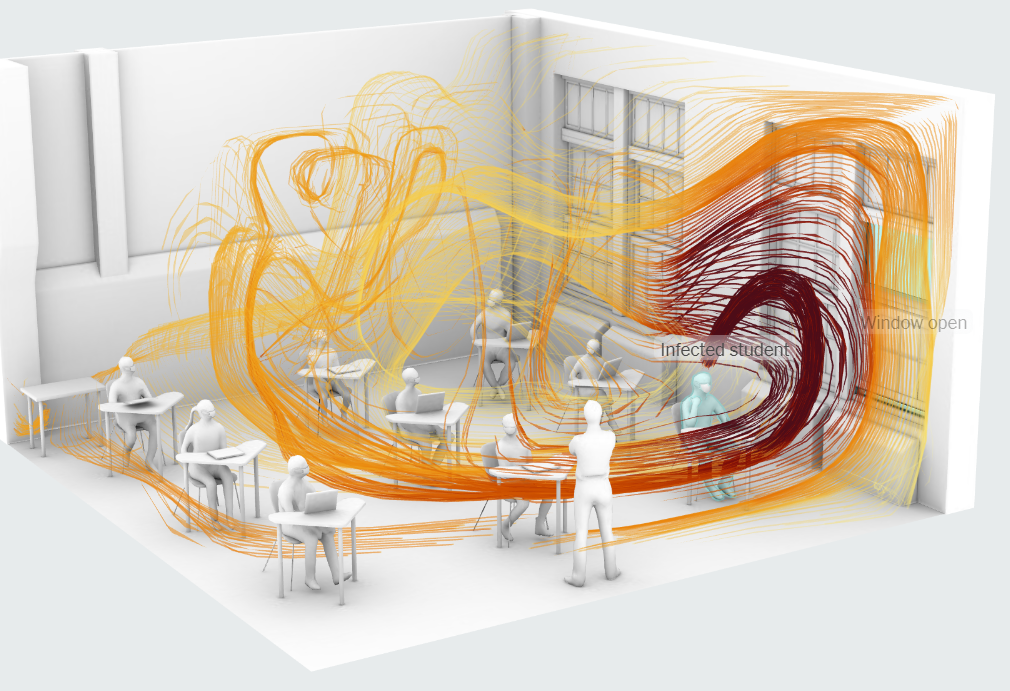
  • JB&B:** Showed how opening windows in classrooms dilutes contaminants, helping to minimize the risk of contagion in schools.

Industrial production

  • FS Dynamics:** Developed an advanced methodology to avoid contamination on lithography machines in the semiconductor industry.
  • Creaform Engineering: Simulated vaccine filling lines in clean rooms, ensuring regulatory compliance and minimizing economic losses.

Beyond Human: Purification in Industrial Processes

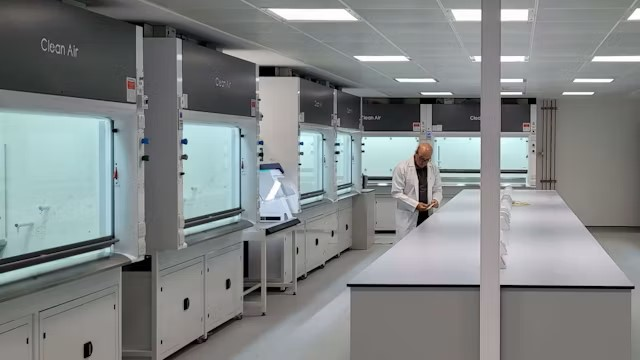
In addition to protecting people, CFD simulation plays a key role in maintaining hygienic standards in the production of food, drugs and other sensitive goods. Companies such as Excelitas Noblelight and Clean Air Limited have used CFD to design innovative devices, from UVC air purifiers to fume hoods, improving both efficiency and sustainability.


In short, Computational Fluid Dynamics not only helps improve the quality of the air we breathe, but also transforms key processes in multiple industries. Ready to explore what CFD can do for you?

Unique web platform and zero-touch production approach enables next-day delivery

Product: NX
Industry: Industrial machinery

Reducing lead times for small machined parts

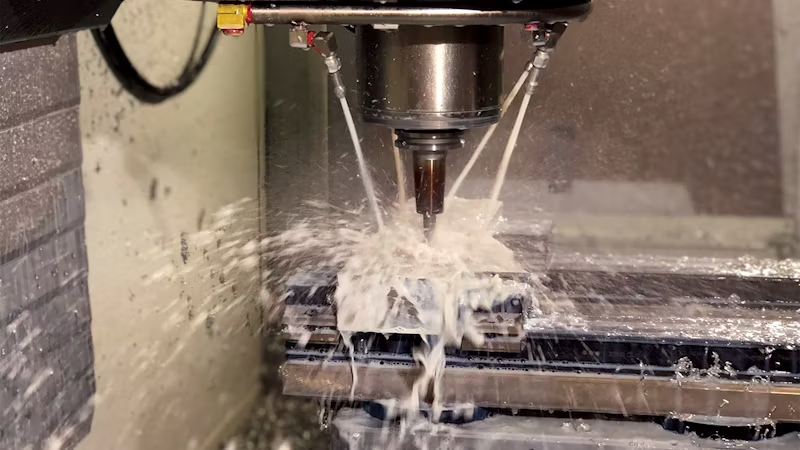
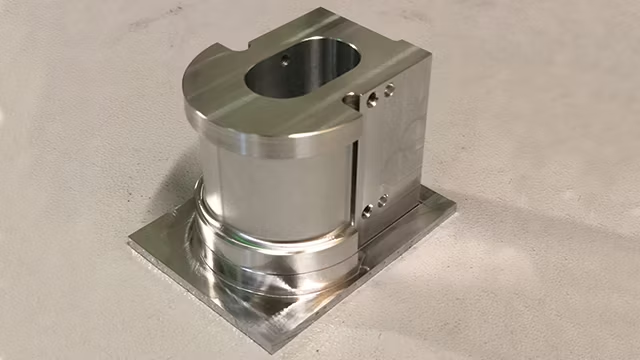
YouniQ Machining was founded in November 2017 to address a severe limitation in the machining of small fixtures and parts that are primarily used for testing and measuring. The production of such parts is typically outsourced, but production facilities are not well equipped to handle the requests. Manufacturing of single pieces typically requires eight to 12 weeks when produced with conventional machining processes. In contrast, many parts can be produced with 3D printing processes that reduce lead time to only two working days. YouniQ Machining considered whether a similar lead time reduction was possible for the machining industry.

Additive manufacturing/3D printing technologies emerged in a period when online platforms were commonly accepted; the business models of most companies that offered 3D printing services was very much focused on web-based platforms from the beginning. Industrial machining is far more conservative, but after investigating the possibilities and limitations, YouniQ Machining could not determine why time to market could not be significantly reduced.

The only limiting factors the company identified were the dimensional tolerances, which are typically much lower for machining. After some research it became evident that these tolerances are almost never a showstopper: most machine shops determine tolerances based on 2D technical drawings that specify generic and excessively tight tolerance grades from the ISO system of limits and fits that result in a tight fit. Other reasons for long lead times include overloaded production funnels, a lack of skilled personnel, unnecessarily conservative processes, and material unavailability.

Solving the problem through digitalization

YouniQ Machining’s primary challenge was to create a completely new business model that would revolutionize the production of one-time or small-batch machined parts. The company abandoned traditional approaches and reimagined the entire process from scratch, from order intake, assessment, and production to delivery. The only way to achieve this new approach was to digitalize every element of the process.

Envisioning a web-based machine shop

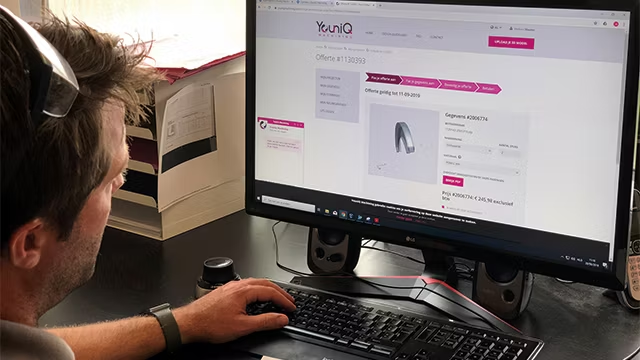
YouniQ Machining envisioned a digital workflow that could streamline and accelerate the order-to-production cycle, creating a web-based machine shop that would bring the efficiency and speed of 3D printing services to machining processes. The digital workflow begins when the customer prepares a 3D model of the desired component using any computer-aided design (CAD) program and uploads the CAD file to a web portal. Once uploaded, YouniQ applies automated routines to analyze the model’s manufacturability and generate a quote based on simulated machining time and material. The company provides the customer with a downloadable 3D model of the part showing the expected machining results, which the customer can use to verify its fit in an assembly. Customers can adjust the quote based on material, quantity, delivery, and post-machining requirements, and then place the order. Using computer-generated programs, YouniQ’s staff and modern machine shop produce the parts and arrange delivery as specified by the customer.

Unique web platform and zero-touch production approach enables next-day delivery

One of the main challenges in realizing the web-based machine shop was integrating the web environment with computer-aided design and manufacturing (CAD/CAM) solutions. Since no out-of-the-box solution was available, YouniQ had to program everything manually. A robust application programming interface (API) in the CAD/CAM solution was crucial.

YouniQ initially worked with a CAD/CAM provider that offered good web integration, but they could not meet the API requirements. Another CAM provider had a strong API but failed in web integration and CAD capabilities. The company then partnered with Siemens Digital Industries Software, which provided solutions that met all of YouniQ Machining’s requirements.

Through its NX™ product development software, Siemens offered best-in-class CAD/CAM integration and application programming capabilities that quickly exceeded those of other suppliers. Key features of NX that filled all gaps included web integration using the JT™ data format and the NX Open API for programming and customization. Together, these elements provided an open environment, excellent programming potential, and a strong CAD connection, which became increasingly important over time.

Realizing the vision through digitalization

YouniQ used Siemens’ solution to redesign conventional processes through end-to-end digitalization. The result is a process that provides customers with transparent pricing, direct feedback on producibility, finishing options, and design modifications that reduce costs and lead times. Most importantly, the streamlined digital process reduced delivery times from eight to 12 weeks to as little as two days. Furthermore, the process does not require customers to submit extensive 2D technical drawings.

Synchronous modeling accelerates design modifications

A key capability of the NX solution that enabled this reimagined process is synchronous modeling, a technology that allows direct editing of component geometry regardless of the source CAD system. Synchronous modeling eliminated the need to manually modify the original CAD design; with NX, YouniQ can easily redesign parts to ensure all specifications and tolerances match the requirements.

Automating NC programming with machining

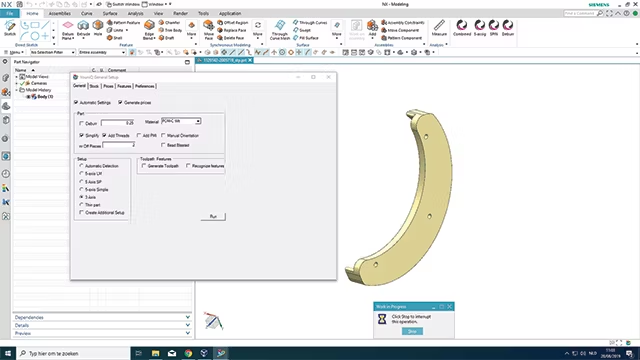
The feature-based machining capabilities of NX CAM were also crucial to the digital workflow. With feature-based machining, numerical control (NC) programs can be automatically created based on the features in the component model. A tool called the machine knowledge editor (MKE) allowed YouniQ engineers to record all the rules and tools used in machining features, capturing knowledge and data that drive automated NC programming.

Results

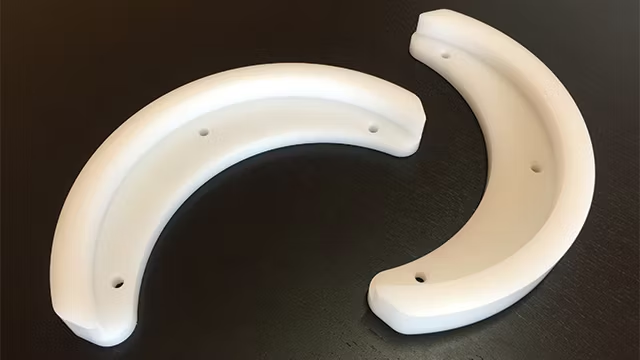
With its web-based machine shop and automated, hands-off workflow, YouniQ Machining reduced time-to-market from the typical eight to 12 weeks to just two days for fast delivery. The company also offers additional delivery options that reduce costs: standard delivery in five business days and budget delivery in 15 business days.

With its fully digitalized workflow, YouniQ Machining achieved higher margins than competitors, allowing investment in future innovations. The company also reduced its reliance on highly skilled experts and minimized its administrative burden, enabling the business to focus on core machining operations. With processes defined and programmed in NX, the company standardized its development procedures and enabled hardware standardization in production.

While Siemens’ NX CAM solution was a key element in achieving these impressive results, the professional support and consultation of Emixa Industry Solutions also played a significant role. With in-depth knowledge of Siemens NX CAD/CAM, automation, and postprocessing, and extensive industry insights, this Siemens Platinum business partner translated YouniQ Machining’s business needs into concrete, practical solutions. Emixa Industry Solutions’ vast experience in providing high-end technical solutions for demanding environments enabled fast and seamless implementation, minimizing downtimes and disruptions. Additionally, Emixa Industry Solutions offers a continuous feedback loop to identify and resolve future challenges and developments.

Future plans

Looking ahead, YouniQ Machining plans to add more interactivity to its web platform, including the ability for customers to add tolerances without 2D drawings and to eliminate manual product approval through advanced algorithms. The company also aims to automate the processing of product and manufacturing information (PMI – 3D annotations in part models) to support model-based design and offer a wider variety of materials.

Leveraging digital transformation to shorten the time from designing to manufacturing production lines

Product: Tecnomatix
Industria: Automotive & transportation, Electronics

Undertaking a digital transformation

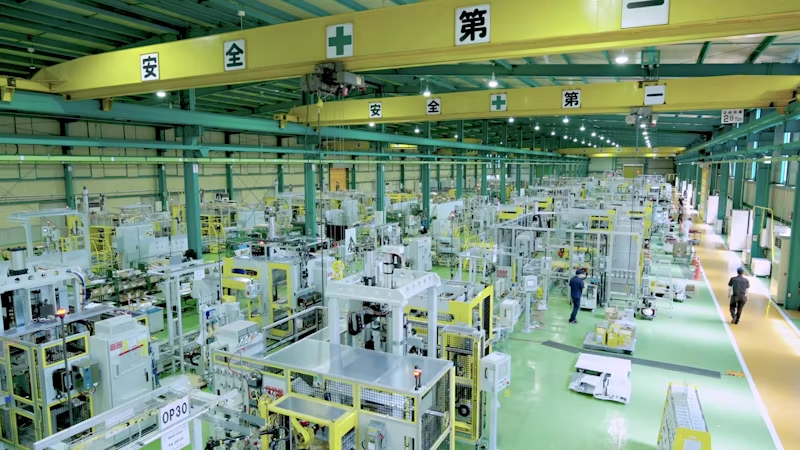
Hirata Corporation (Hirata), headquartered in Kumamoto, Japan, is a global leader in constructing production lines. It has locations throughout Japan as well as plants in North America, Europe and across Asia, providing production equipment to automotive and semiconductor manufacturers worldwide.

Hirata provides transmission assembly lines, engine assembly lines, electrical vehicle (EV) and other automotive production equipment to numerous manufacturers.

When the 2016 Kumamoto earthquakes damaged the company’s plants, Hirata decided to contribute to the reconstruction effort by relocating its headquarters to Kumamoto City.

As sales increased, the company’s newly built plant was expanded to provide space for adjusting equipment test runs and enabling customers to conduct inspections inside the plant. Hirata has integrated design, manufacturing, assembly, electrical work and adjustment test runs. As the company constructed and subsequently expanded its plant, it also started a large-scale digital transformation.

After evaluating several simulation solutions, Hirata chose Siemens Digital Industries Software’s Process Simulate in the Tecnomatix® portfolio. It also decided to work with Siemens as its strategic partner to promote digital transformation, and as part of that initiative introduced the Siemens Xcelerator business platform of software, hardware and services to the company.

Strategically promoting digital transformation

By embracing digital transformation, Hirata has been able to shorten the time it takes to go from product design to manufacturing. Hirata has front-loaded its investment in resources early in the product development process, bringing forward work that was previously done in later stages.

As Hirata’s customers began to face shorter production times, they focused on how to compress the time between new products, handle low-volume, high-mix production and shrink the period required to modify production lines during operation.

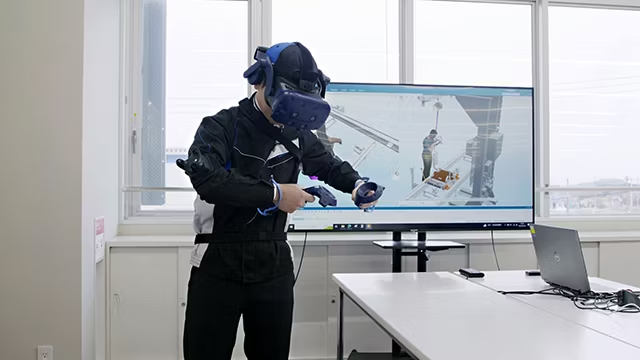
Hirata knew the digital transformation would help them, but it was challenging to explain to senior management and on-site personnel what would change and what the simulations with Process Simulate would reveal. Describing the benefits of simulations was particularly difficult at first. Some personnel had the impression that simulations would require twice as much effort. However, as the implementation went ahead, workers were able to see the positive effects and started saying it made sense.

Simulation supports high-quality manufacturing

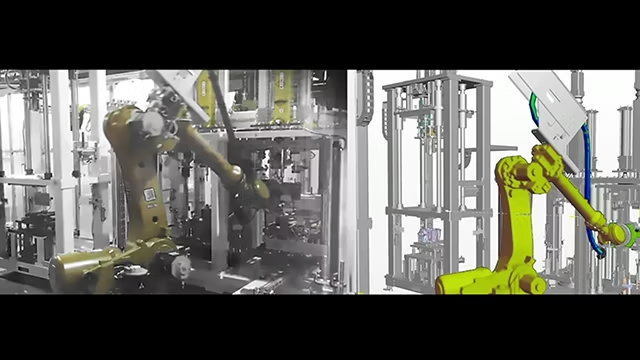
“Prior to introducing digital simulations, we were able to check for equipment interferences and conduct on-site verifications, but now we were able to teach robots offline,” says Shoichiro Seki, general manager of the engineering departments at Hirata. “Once that data has been downloaded, the robots can immediately be operated on-site, which is a huge advantage.

“Previously, we had to turn on the power, start up the robots and then perform the teaching work to check for interferences, cable twists and other issues. Now all of that can be performed offline, which is incredibly helpful for manufacturing.”

Leveraging Process Simulate

Hirata’s major customers have added 3D model validation to their equipment development process and most of them were using Process Simulate, which is part of Siemens Xcelerator. This also motivated Hirata to select Process Simulate.

“Previously we required three engineers to complete the verification process in three to 10 days, but one engineer using Process Simulate for cable simulation can complete the verification process in approximately two hours,” says Seki. “That reduced man-hours compared to conventional methods by 90 percent and manpower requirements by 66 percent.”

“After a year of simulation experience with Process Simulate, I was able to gain a deeper overall understanding of the work I had been doing for the past five years in my own area of expertise, human machine interface,” says Mami Hayata, chief of the control design group in the engineering department. “This enabled me to receive information from many different fields, including mechanical, control, instrumentation and robotics. The introduction of simulation has allowed me to learn so much more about the world of equipment.”

“I used to only talk to people in control,” says Kosuke Nishi, who is a mechanical design engineer. “But now I have connections with various people in mechanical, control, instrumentation and robotics. Initially, when simulations were introduced, my requests to mechanical designers to provide information for simulation were met with resistance, but now that awareness and demand have increased considerably, I feel that we are able to exchange useful information.”

“Previously, we determined the optimal cable routes and fixing methods by trial and error,” says Ryosei Sekiguchi, manager of the control design group in the engineering department. “With Process Simulate we can use simulations to verify multiple patterns of routes and fixing methods simultaneously, which significantly reduces the time spent on that.”

“Prior to introduction, we used 2D drawings to confirm ergonomic areas and workability based on planar dimensions, which frequently led to insufficient verification of worker postures and product shapes,” says Seki.

“This often resulted in us discovering necessary adjustments only after the completed equipment started being used. However, with the introduction of human machine interface, we can now perform work verifications for various postures in 3D. The results are clear and easy to understand, allowing smooth consensus building with customers.

“We compared simulation software from various manufacturers, but ultimately chose to adopt Process Simulate due to its global market share and especially its widespread use among automotive manufacturers.

“As a result of this evaluation, we chose Siemens as our strategic partner to promote digital transformation. We also introduced Siemens Xcelerator as part of that effort.”

Future of Process Simulate

Hirata is implementing Process Simulate add-on features every year, including modules for robotics, virtual commissioning, safety and cable. They have also introduced Plant Simulation in the Tecnomatix portfolio in various departments.

×